You've decided to record on video. Now it's time to do it properly. An appealing video podcast doesn't need a TV studio: a few good decisions about framing, lighting and sound will do.
⚡ In 30 seconds
- Lock exposure, white balance and focus: no auto settings.
- Frame at eye level with soft light.
- Sound is still the most important thing.
- Clap at the start to sync picture and audio.
First, decide on the format
Decide how many people will be on screen, whether they'll be sitting or standing and what visual style you want. Two people facing each other aren't filmed the same way as a monologue or a table of four.
Not sure video is for you? Read what a video podcast is and when it makes sense first.
The cameras
You can start with what you already have. Many of today's phones record 4K at excellent quality. A mirrorless or video camera gives you more control, a better picture in low light and a more blurred background.
The essentials
One camera per person
Lets you cut between shots. A single wide shot also works and is simpler.
A stable tripod
Don't hold the phone in your hand.
Same settings
Set every camera to the same resolution and frame rate, for example 4K or 1080p at 25 or 30 fps, so they match in the edit.
Manual settings
Lock exposure, white balance and focus, or the picture will shift mid-conversation.
Battery and storage
A long episode drains memory cards and batteries. Plug into the mains if you can.
Framing
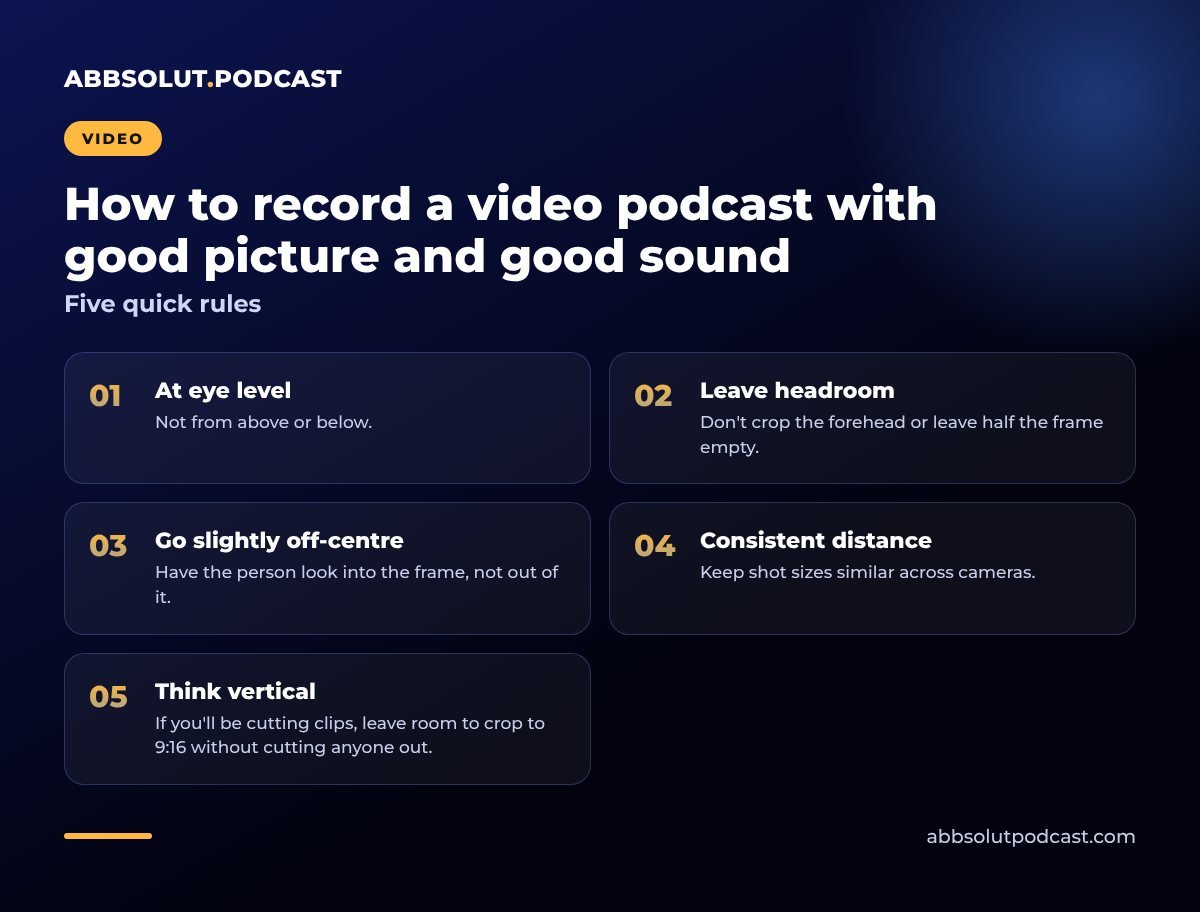
Five quick rules
- 01
At eye level
Not from above or below.
- 02
Leave headroom
Don't crop the forehead or leave half the frame empty.
- 03
Go slightly off-centre
Have the person look into the frame, not out of it.
- 04
Consistent distance
Keep shot sizes similar across cameras.
- 05
Think vertical
If you'll be cutting clips, leave room to crop to 9:16 without cutting anyone out.
Lighting
Lighting does more for your picture than anything else, and you don't need expensive kit.
- Soft front light. An LED panel with a diffuser, slightly above and to one side, at about 45 degrees to the face.
- Rim light. Another soft light from behind separates the person from the background and adds depth.
- No mixed lighting. If there's a sunny window, either cover it with a curtain or use it as your main light.
- Same colour for every light. Pick one temperature, warm or neutral, and stick to it.
⚠️ Watch out for this
Watch out for reflections in glasses, harsh shadows under the nose and shine on the forehead. A little translucent powder helps.
Background and set
A good background says who you are without being distracting. Some ideas:
- A plain wall with a lamp or a plant.
- A bookshelf with a few neatly arranged objects.
- An illuminated sign or logo, if it's a branded show.
- Colours that match your visual identity.
💡 Tip
Have people sit fifty centimetres to a metre away from the wall: the background blurs and there are fewer harsh shadows.
Sound: still the most important thing
A video with a mediocre picture and good sound is still enjoyable. With bad sound, people switch off.
People forgive a mediocre picture; they don't forgive bad sound.
Follow the advice in equipment for recording a podcast and recording a podcast at home:
- Dynamic or lavalier microphones, close to the mouth.
- Microphone out of shot or built into the set.
- A separate audio track for each person, if possible.
- Headphones to spot problems straight away.
The camera's audio is only a reference for syncing. The real quality comes from the external microphones.
Sync picture and sound
When audio is recorded separately, it needs to be lined up with the video. The trick: clap in front of the cameras when you start. That spike is easy to find in your editing software.
Many editing programs can also sync automatically by comparing the camera sound with the microphones. Clap again whenever you stop and start again.
Put your guest at ease
Guests often get nervous in front of a camera. It really helps to:
- Offer them water and tell them how long the session will last.
- Do a couple of minutes' warm-up without recording.
- Remind them they can redo any answer.
- Keep them from looking at the monitor or their own image.
There's a full guide in losing your fear of the microphone and the camera.
Before you hit REC
✅ Checklist
- Batteries charged and memory cards empty
- Same settings on every camera
- Exposure and focus locked
- Microphones tested and levels set
- Phones on aeroplane mode
- Clothes without stripes or distracting logos
- A one-minute test recording to check picture and audio
After recording
Back up to two different places and name your files clearly. Editing, colour correction and exporting come later.
For the audio, follow how to edit a podcast and mixing and mastering.
In short
Look after the sound, use soft light, frame at eye level, lock your settings and put your guest at ease.
🎙️ How we do it at Abbsolut
We come to your office or business in Barcelona, or find a studio, with 4K video equipment and professional audio. Take a look at our video podcast service in Barcelona or find out more about us as a podcast production company in Barcelona.
Would you like us to produce your podcast?
We're a podcast production company in Barcelona. Tell us your idea and we'll send you a no-obligation proposal.
Get a quote